SmartFlux Core System software updates
We recommend running the most current interface software and embedded firmware on all components of an eddy covariance system for compatibility and digital security.
To update the SmartFlux Core System embedded firmware:
-
Get the latest updater and install it on your computer.
Double-click the downloaded file to start the installation wizard.

The file is named smartflux-updater-4.2.1.exe. The installed application is called smartflux-updater.
-
Connect the system to your computer with a network cable.
You can use the cable to connect the SmartFlux Core System directly to your computer or network, or you can connect to the eddy covariance system network switch.
-
Launch the updater.

-
Select the unit to update and click Update Software....
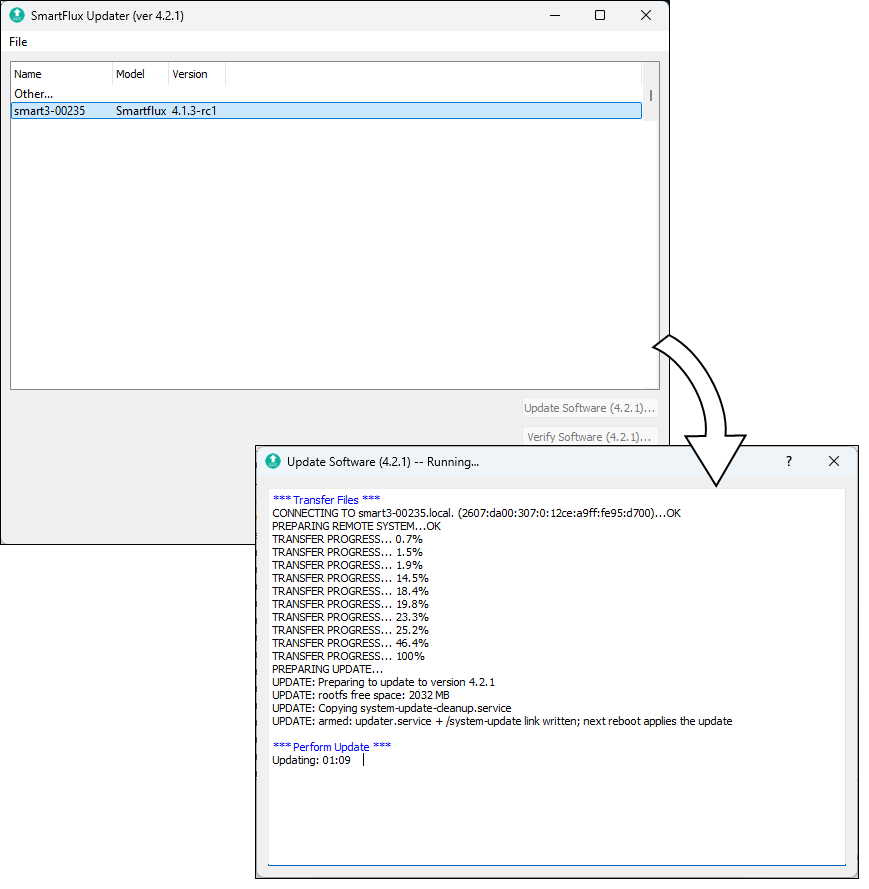
The update will take several minutes to finish. The application will notify you when it is done. Do not turn off the SmartFlux Core System or the computer while the update is in progress.
Note: Serial numbers are not changed by the update. Although the distinction between SmartFlux 2 and 3 Systems is no longer relevant with updated systems, serial numbers will remain intact. For example, a serial number smart3-0235 will not be changed by the update even though the system is now configured as a SmartFlux Core System.
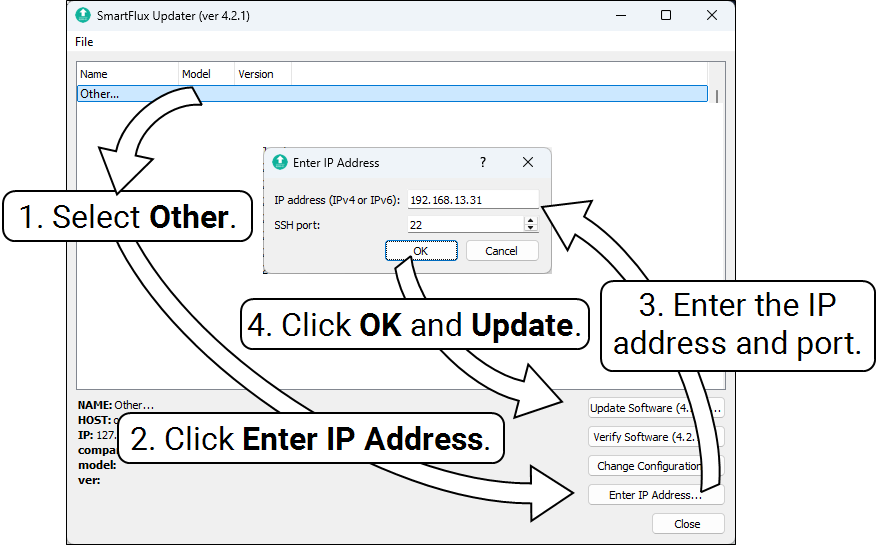
If the SmartFlux 2 or 3 System is on a different local network (for example, it is connected to an RV50X cellular radio), open the updater, click Other..., and then click Enter IP Address. Enter both the IP address of the radio and the port number for the SmartFlux 2 or 3 System. Click OK and then click Update Software.