


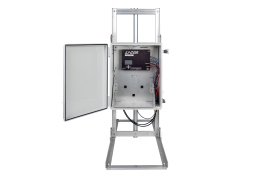
Using the Apogee SN-500 Net Radiometer with the IoE Module
Net radiation measurements are used to help close the surface energy balance at flux measurement sites. Because net radiation is typically the largest component of the surface energy budget, accurate measurement is critical for evaluating energy balance closure and interpreting ecosystem flux measurements.
The Apogee SN-500 Net Radiometer is a compact 4-component radiometer designed to measure incoming shortwave radiation, reflected shortwave radiation, incoming longwave radiation, and outgoing longwave radiation. These measurements allow calculation of net radiation (Rn), which represents the total radiative energy available to drive ecosystem processes such as evapotranspiration, soil heat flux, and turbulent heat exchange.
When integrated with the LI-COR Water Node or Carbon Node via the IoE Module, the SN-500 provides the radiation measurements required to support energy balance measurements at flux monitoring sites. The kit (9000-34) includes the following components:
| Part # | Description |
|---|---|
| 9000-34 | Four-component Net Radiometer Kit |
| 9000-30 | SN-500 four-component net radiometer |
| 9000-35 | AM-501 mounting fixture for rod-based sensors |
| Optional Accessories | |
| 9000-33 | SDI-12 connector for custom cable lengths |
| 9000-32 | Multi-port SDI-12 sensor adapter |
| - | M12 closure caps |
Sensor overview
The SN‑500 Net Radiometer combines four radiation sensors into a single instrument to measure both shortwave and longwave radiation components above and below the instrument.
| Measurement | Description |
|---|---|
| SW↓ | Incoming shortwave radiation |
| SW↑ | Reflected shortwave radiation |
| LW↓ | Incoming longwave radiation |
| LW↑ | Outgoing longwave radiation |
Net radiation is calculated as Rn = (SW↓ − SW↑) + (LW↓ − LW↑). This represents the total radiative energy available at the surface.
Integration with the IoE Module
The SN-500 cable connects to the LI-COR IoE Module connector panel. The IoE Module powers the sensor, provides the electrical and communication interface, and collects the measurement data. Data are stored on the onboard SD card, and averaged measurements are transmitted through the integrated modem to LI-COR Cloud.
Mechanical installation
The SN-500 is mounted using a rod-based mounting fixture (part number 9000-35). It can be installed on a tripod mast such as the HWS 3-meter tripod available from onsetcomp.com or a mast affixed to a T-post.
Caution: Do not install the radiometer on the IoE Module mast. The mast is not designed to support the additional load. The radiometer must be installed on a separate vertical mast to prevent obstruction and ensure a clear field of view for accurate radiation measurements.
-
Mount the sensor at least 3 m above ground and above the vegetation canopy or measurement surface.
-
Install the sensor in a location with an unobstructed hemispherical view of the sky.
-
Avoid shading from tower components, booms, or nearby instruments.
-
Position the radiometer away from reflective surfaces that could influence radiation measurements (for example, solar panels).
-
Ensure the sensor is carefully leveled after installation.
Cable and connector options
The SN-500 radiometer is available from LI-COR with a factory-installed M12 connector. This sensor can be connected directly to an SDI-12 port on the IoE Module connector panel or a multi-port SDI-12 adapter (Figure 6).
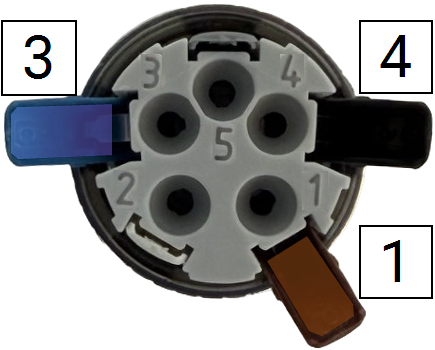
If you require a custom cable length, the SN-500 can be supplied with an unterminated cable and a user-installable connector (part number 9000-33). Wire assignments are given in Table 1; assembly is shown in Figure 5.

Adding SDI‑12 ports to the IoE Module
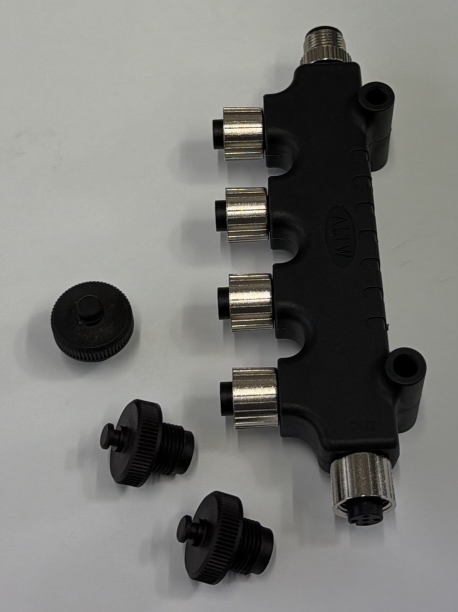
One SDI-12 sensor can be connected directly to each SDI-12 port on the IoE Module connector panel. If additional SDI‑12 ports are required, a multi-port SDI-12 adapter can be used (LI-COR part number 9000-32). Connect it to an unused SDI-12 port on the IoE Module connector panel. Cover unused ports on the adapter with protective caps to prevent intrusion of moisture and debris.
Leave the sensor cables disconnected for now, but be prepared to connect them to vacant ports during the configuration steps.
Setting the SN-500 address
Follow these steps to set a unique SDI-12 address on the sensor. Keep the sensor nearby but leave the cable disconnected for now.
-
Power on the IoE Module: short-press the power button (
 ) and wait until the main screen is displayed.
 -
Press left three times (
 ) to access the Device Setup screen.
 -
Select SDI-12 (it will be highlighted) and press Select (
 ) to begin.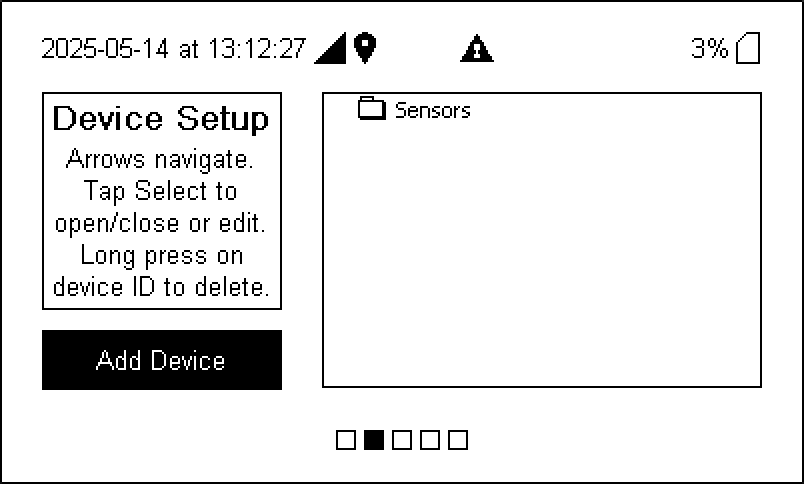
-
Connect only the cable from the sensor to be added and select YES to proceed.
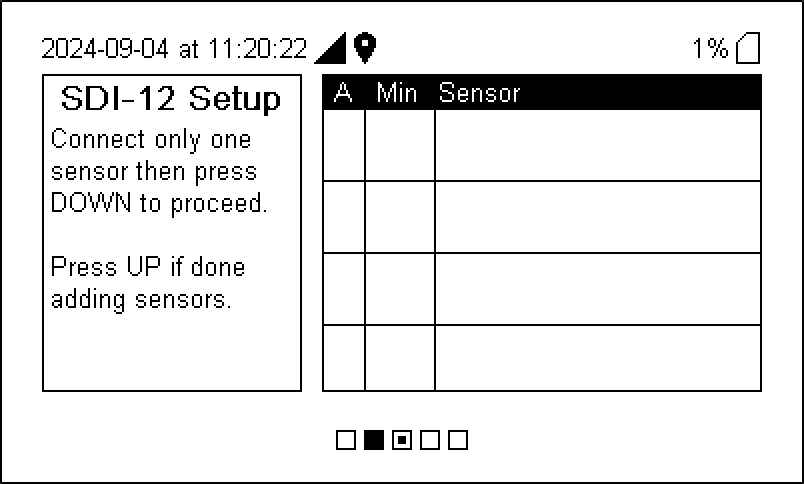
The IoE Module will recognize the device and request configuration information from LI-COR Cloud. Several messages will indicate the progress.
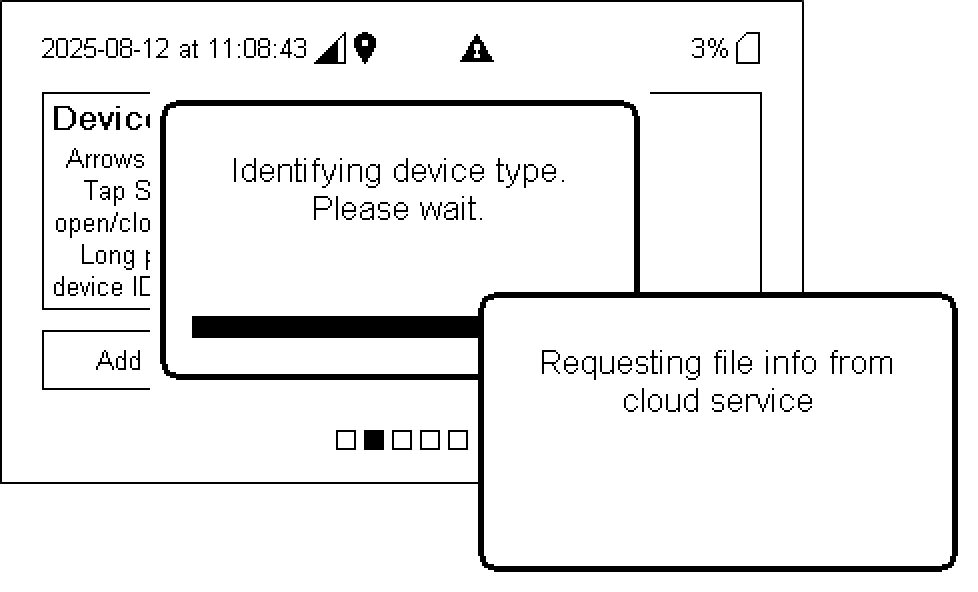
-
Preview the device information and make changes if desired.
-
Save the configuration.
Press Right (
 ) and then Select () to save changes. You MUST save changes.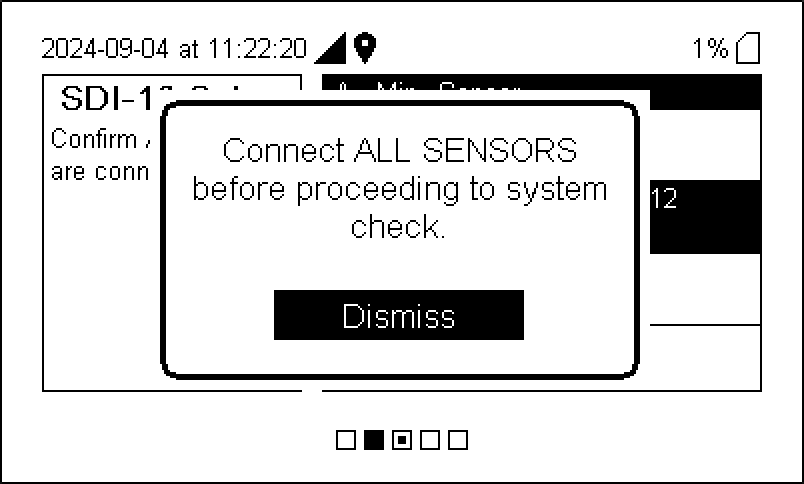
-
Watch as the IoE Module finishes the configuration.
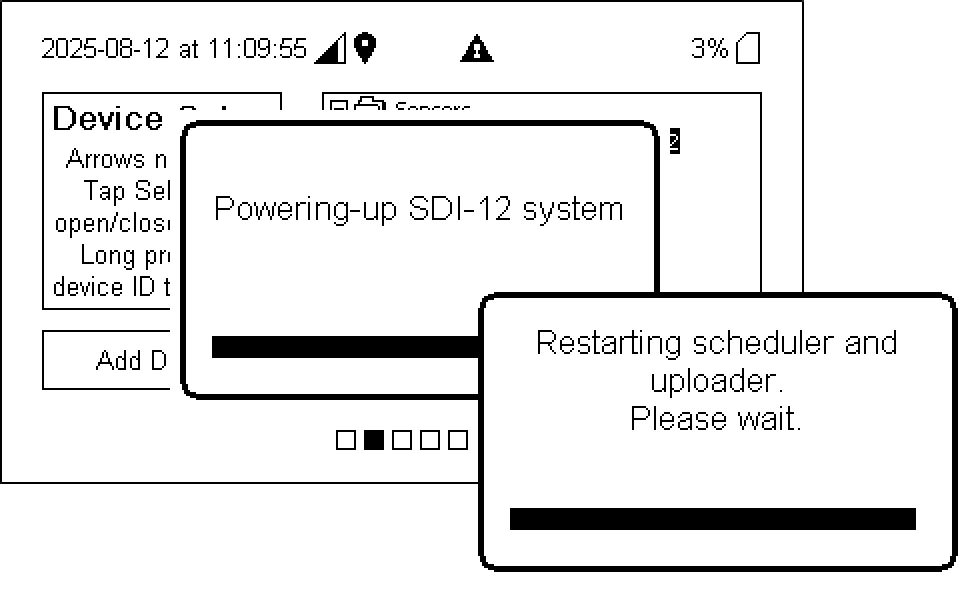
Verify that the sensors are addressed and configured properly and then return to the Home screen. If the IoE Module is partially configured but has no interactions for one hour, it will abort the configuration and return to the prior configuration and display the home screen.
Maintenance
Follow the maintenance recommendations provided by Apogee Instruments for the SN-500 radiometer. Typical maintenance includes keeping the sensor domes clean, verifying that the instrument remains level, and periodically inspecting cables and connectors.
Alternative suppliers
Some components are available from suppliers other than LI-COR.
5-pin A-coded Male M12 Connector. Available from Phoenix Contact (www.phoenixcontact.com) as SACC-M12MS-5PL M (Phoenix Contact part number 1424649).
Multi-port SDI-12 adapter with M12 ports. Available from Mouser Electronics (www.mouser.com) as Amphenol LTW S‑555555‑FFFFFM‑S001 5-position adapter.
M12 Closure Caps to cover unused ports on the multi-port adapter. Available from Turck (www.turck.com) as part number U5135-06 M12 Closure Caps.
HWS 3-meter tripod available from HOBO Data Loggers (www.onsetcomp.com) as part number M-TPA.