Skip To Main Content
Account
Settings
Logout
  • placeholder
Account
Settings
Logout
Filter:
Submit Search
LI-COR Logo (White)LI-COR Logo
PRODUCTSPlant PhysiologyEddy CovarianceTrace Gas ConcentrationSoil Gas FluxPlant CanopyPAR & Global Solar RadiationSoil MoistureMeteorologyWater Levels & Water QualityIndoor Environment
SOLUTIONSGreenhouse
Gas Monitoring
Agricultural
Best Practices
Environmental
Protection
Soil, Atmosphere,
& Ocean Studies
Energy & Indoor
Air Monitoring
Water
Monitoring
RESOURCESResource CenterBlogPublicationsSupportWebinarsWorkshopsView All
CONTACTContact LI-COR

Plant PhysiologyEddy CovarianceTrace Gas ConcentrationSoil Gas FluxPlant CanopyPAR & Global Solar RadiationSoil MoistureMeteorologyWater Levels & Water QualityIndoor Environment

Greenhouse Gas & Emissions
Monitoring
Agricultural Best PracticesEnvironmental ProtectionSoil, Atmosphere, & Ocean StudiesIndoor Environmental MonitoringWater Resource Management

All ResourcesBlogPublicationsSupportWebinarsWorkshopsView All
CONTACT US
​
Contact Support
phone icon

Phone

1-402-467-3576

Toll Free:
1-800-447-3576

email icon

Email

Sales:
envsales@licor.com

Support:
envsupport@licor.com

contact icon

Contact Forms

LI-COR Sales

LI-COR Support

LICORbio Support

international icon

International

Europe

Distributors

address icon

Address

4647 Superior St.
P.O. Box 4425
Lincoln, NE USA
68504-0425

email icon

HOBO Data Loggers

HOBO Sales

HOBO Help Center

HOBO Support

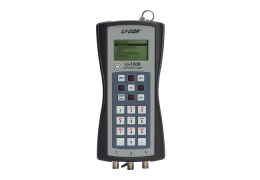
LI-1500 Light Sensor Logger technical support resources

Support: LI-1500 Light Sensor Logger

What are you looking for?

General Help

Calibration Certificates

Filter:
Submit Search


View Certificate


Contents:

Operating Instructions

Table of Contents

1 Introduction to the LI-1500

What's what

Powering the LI-1500

Cable connections

Memory

Precautions

Maintenance

2 The basics

Powering On and Off

Keypad

Adjusting display brightness

Monitor mode navigation

Menu navigation

Console settings

Overview of GPS

3 Configuring the LI-1500

Creating a basic logging configuration

Adding a sensor

Creating a configuration

Changing the logging routine

Changing the sampling rate

Selecting a measurement range

Adding an output

Configuring a math output

Enabling averaging

Measuring underwater attenuation

50/60 noise filter

4 Logging and viewing data

Logging data

GPS tagging

Viewing and downloading logged data

Viewing real-time data

5 Troubleshooting

Console will not power up

Instrument will not turn off

Instrument locks up

GPS readings are absent or the fix quality is poor

Sensor readings are absent or incorrect

Underwater sensor reading is zero when it should be something else

Data are not logged correctly

Time settings are not retained when changing the "AA" batteries

Unable to read data or transfer data to a computer

6 Maintenance

Updating the firmware

Replacing the internal lithium battery

7 Specifications

Instruction Manuals

LI-1500 Light Sensor Logger Instruction Manual

(1500_Manual_14406.pdf)

Instruction manual for the LI-1500 Light Sensor Logger.

LI-1500 Light Sensor Logger Quick Start Guide

(LI-1500 Quick Start.pdf)

Quick start guide for the LI-1500 Light Sensor Logger.

Was this helpful?

Yes

No

We're sorry about that.

Want to tell us more? Contact technical support.

Great!

Thanks for taking the time to give us feedback.

Join Our Newsletter

SUBSCRIBE

logo
LI-COR

4647 Superior Street
PO Box 4425
Lincoln, NE 68504
United States

Phone: 1-402-467-3576
Toll-Free:1-800-447-3576
Sales: envsales@licor.com
Support: envsupport@licor.com
Fax: 1-402-467-2819
www.licor.com

COMPANY

About Us

Careers

Copyrights & Trademarks

International Distributors

Patents

Press & Media

CONNECT

linkedin
facebook
Bluesky
youtube

OUR BRANDS

clx closed left logoclx closed left logo

Looking for LI-COR Biotechnology?

LI-COR Biotechnology is now

LICORbio logo

©2026 LI-COR, Inc. | Privacy Policy | Terms of Use | Cookie Notice