Calculated measurements

LI-COR Cloud allows you to use data already collected to create calculated measurements based on a time frame or other factors. Two calculated measurements are supported directly: Accumulated Rain and Reference Evapotranspiration.

You can also set alarms for calculated measurements. Alarms for calculated measurements are triggered when LI-COR Cloud receives data, based on the current setting for Connection Interval.

Accumulated rain

Accumulated rain provides the total rainfall for a time period.

accumulated rain

To create a calculated measurement for accumulated rain:

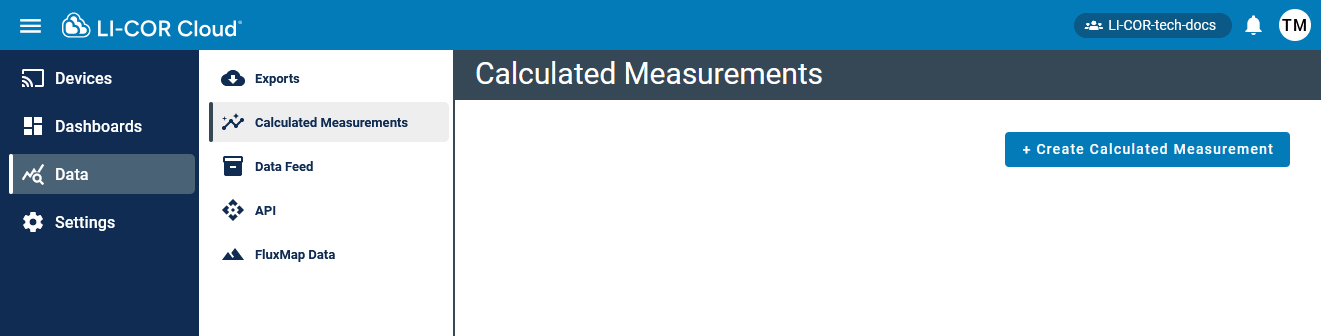
  1. Select Data > Calculated Measurements and click +Create Calculated Measurement.

  2. Select Accumulated Rain and click Next.

  3. Configure the settings for the measurement (see Table 5‑1).

  4. Save the settings.

Now you can configure alarms and view data directly on the devices tab (see Measurements) or add the calculated measurement to a Dashboard (see Creating dashboards).

Table 5‑1. Accumulated rain settings.
Field Required/
Optional
Description
Label Required A nickname for the measurement. LI-COR Cloud uses this name to identify the measurement.
Rain Channel Required The channel you want to use for the measurement.
Time Zone Required The time zone where the measurement is taken.
Time Frame Optional The time frame over which you want to accumulate the measurement.

To configure an alarm for the calculated measurement, click Add Alarm in the Calculated Measurement:

Be sure to save the settings.

Reference evapotranspiration (ET)

Reference evapotranspiration (ET) can be computed for RX stations if data are available from sensors.

To create a calculated measurement for reference evapotranspiration:

  1. Select Data > Calculated Measurements and click +Create Calculated Measurement.

  2. Select Ref Evapotranspiration and click Next.

  3. Configure the settings for the measurement (see Table 5‑2).

  4. Save the settings.

Now you can configure alarms and view data directly on the devices tab (see Measurements) or add the calculated measurement to a Dashboard (see Creating dashboards).

Table 5‑2. Reference Evapotranspiration settings.
Field Required/
Optional
Description
Device Required A device serial number and possibly sensor number for the measurement. LI-COR Cloud uses this name to identify the measurement.
Configuration Name Required A memorable name that can help you identify the configuration.
Time frame Required Reference ET can be summarized either hourly or daily.
Time Zone Required The time zone where the measurement is taken.
Temperature Sensor Required Sensor that contributes the air temperature measurement.
Relative Humidity Sensor Required Sensor that contributes the RH measurement.
Solar Radiation Sensor Required Sensor that contributes the solar radiation measurement.
Wind Speed Sensor Required Sensor that contributes the wind speed measurements.
Wind Speed Sensor Height Required Height above ground for the wind speed sensor.
Sensor Height Units Required Units for the wind speed sensor height above ground.
Latitude Required Degrees between -90 and 90.
Longitude Required Degrees between -180 and 180.
Elevation above sea level Required Elevation
Elevation Units Required Units for the elevation.

To configure an alarm for the calculated measurement, click Add Alarm in the Calculated Measurement:

Be sure to save the settings.