


Registering LI-COR eddy covariance Systems
Any internet-connected LI-COR eddy covariance system (LI-7500DS, LI-7500A/RS, or LI-7200/RS with the SmartFlux Core System) can be connected to LI-COR Cloud. LI-COR Cloud provides online results from the system, configurable email alerts based on specified conditions, and the ability to add collaborators. The components should be running the latest software and firmware for compatibility. To connect your system with LI-COR Cloud:
-
Create a new account or log into your account at www.licor.cloud.
You can start with a trial account if you're not ready to subscribe yet.
-
In win-GHG interface software, provision the SmartFlux Core System.
-
Click the SmartFlux button and select the LI-COR Cloud tab.

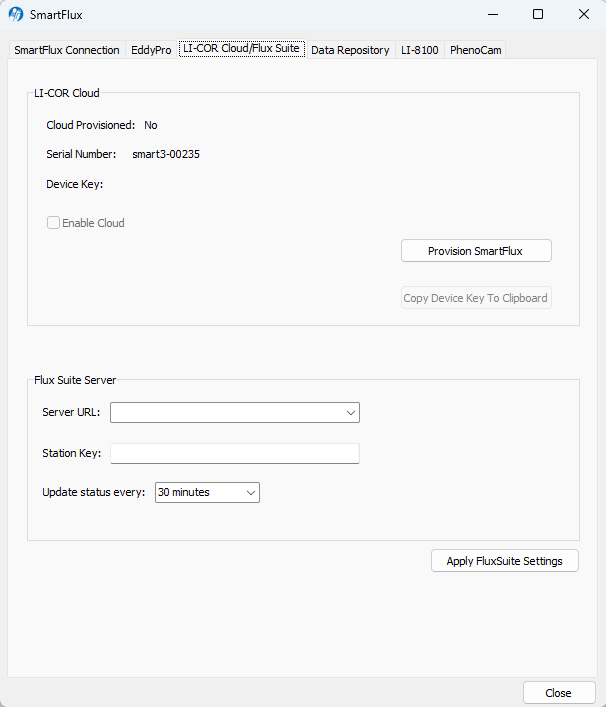
The interface indicates if this device has been provisioned for LI-COR Cloud. If it has been provisioned, you'll see Yes and the device key. If not, click Provision SmartFlux. The application will prompt LI-COR Cloud to create a key (internet access required) and then display the key. The Enable Cloud box will become active.
-
Check the Enable Cloud box.
-
Copy the Device Key to your clipboard.
-
Close the window.
-
-
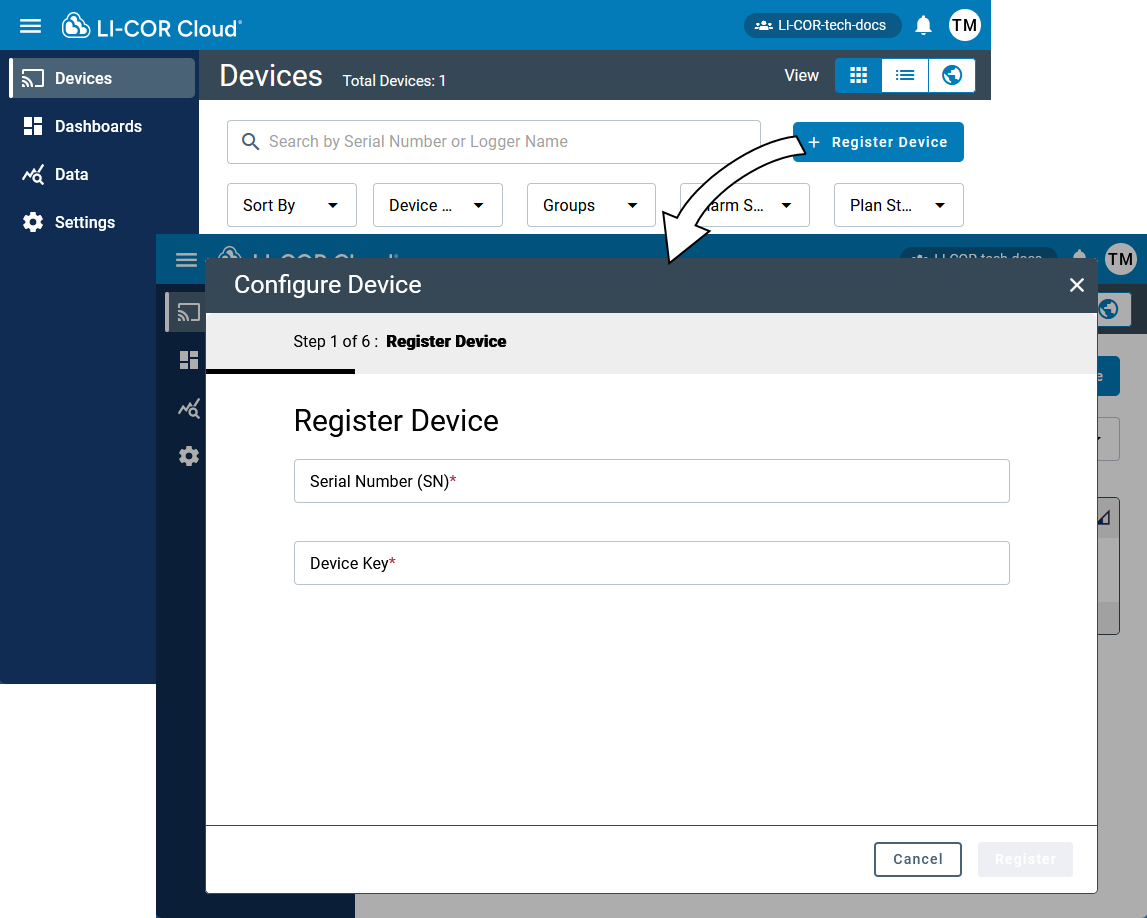
Return to LI-COR Cloud and select Register Device.
-
Enter the SmartFlux Core System Serial Number and Device Key.
After LI-COR Cloud acknowledges the device, click Next.
-
Activate a data plan.
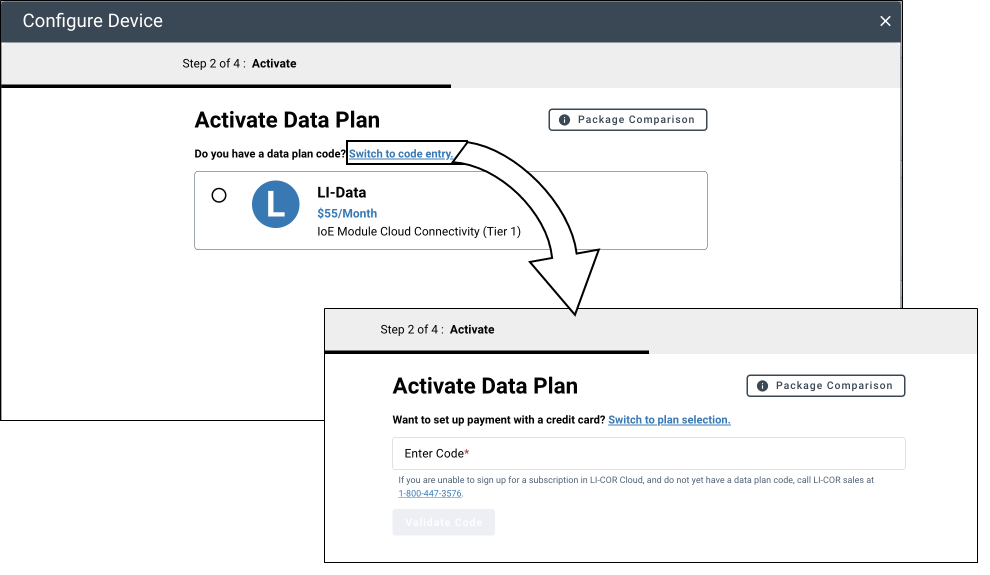
You can subscribe to LI-COR Cloud by setting up monthly payments with a credit card or you can purchase a coupon code for terms of one year or more. If you purchase a coupon code, it will be emailed separately from the purchase order. The subscription information is entered in the device registration process.
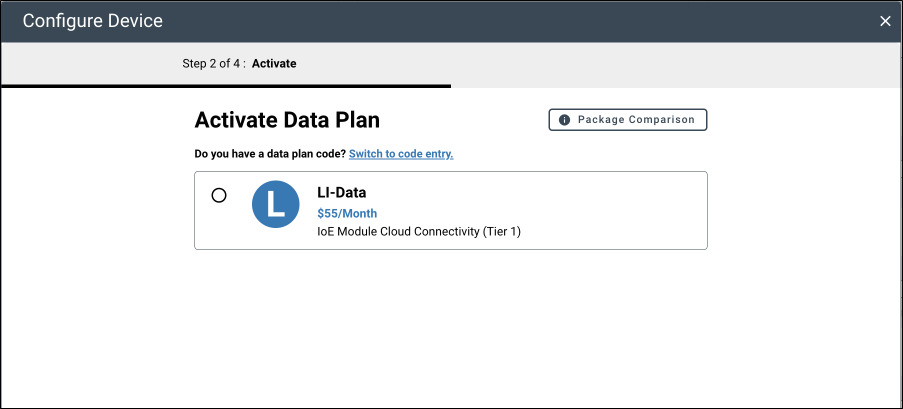
Alternatively, if you have a coupon code, Switch to code entry and enter the code that was provided with your order.
-
Fill in any additional information and complete registration.
-
Save the settings.
The eddy covariance system is now registered with LI-COR Cloud and the data plan is active.
Device details
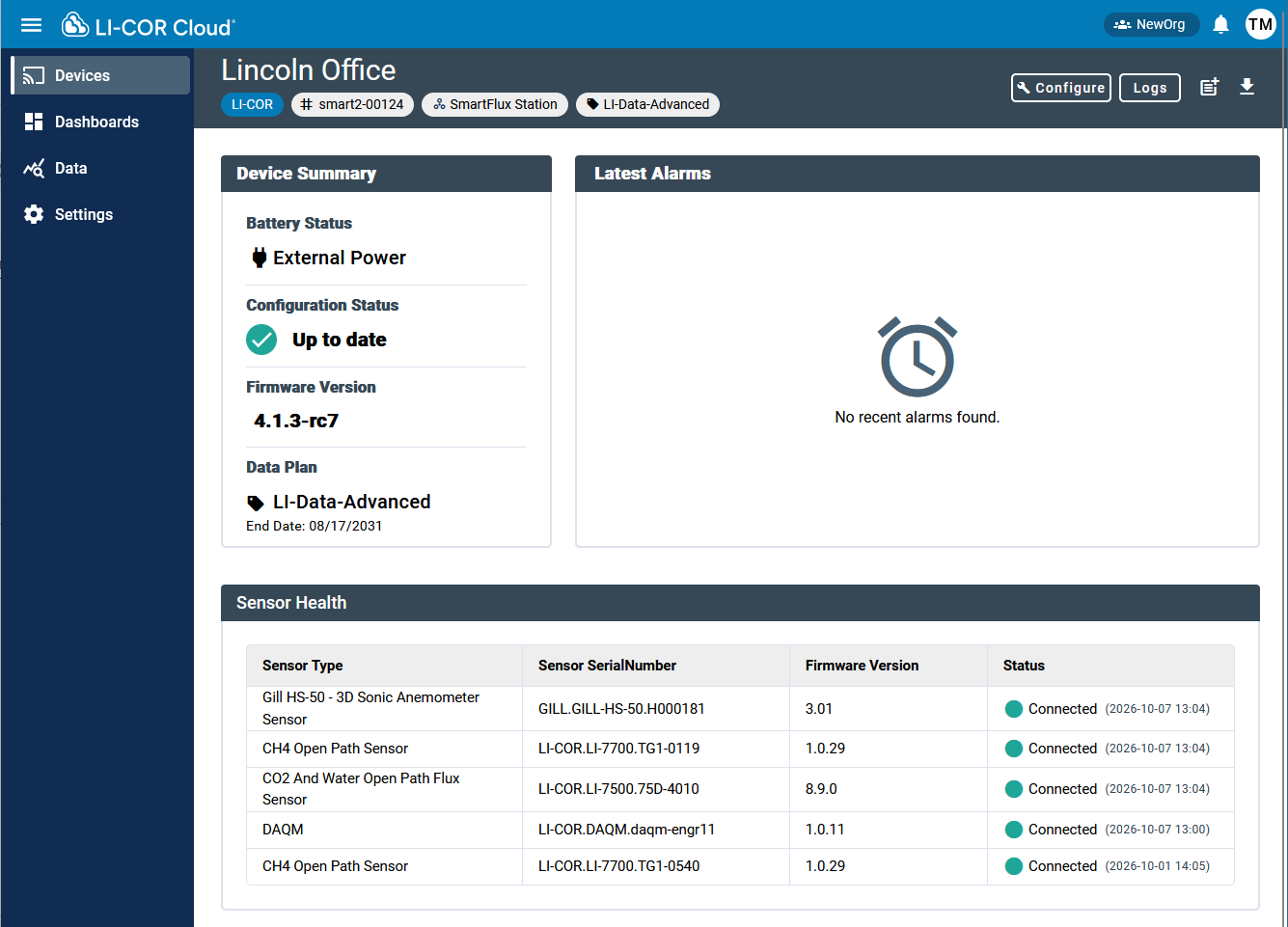
After registering an eddy covariance system, the details are given on the Devices page. You can add the node to the Dashboards page and customize the dashboard for the node.
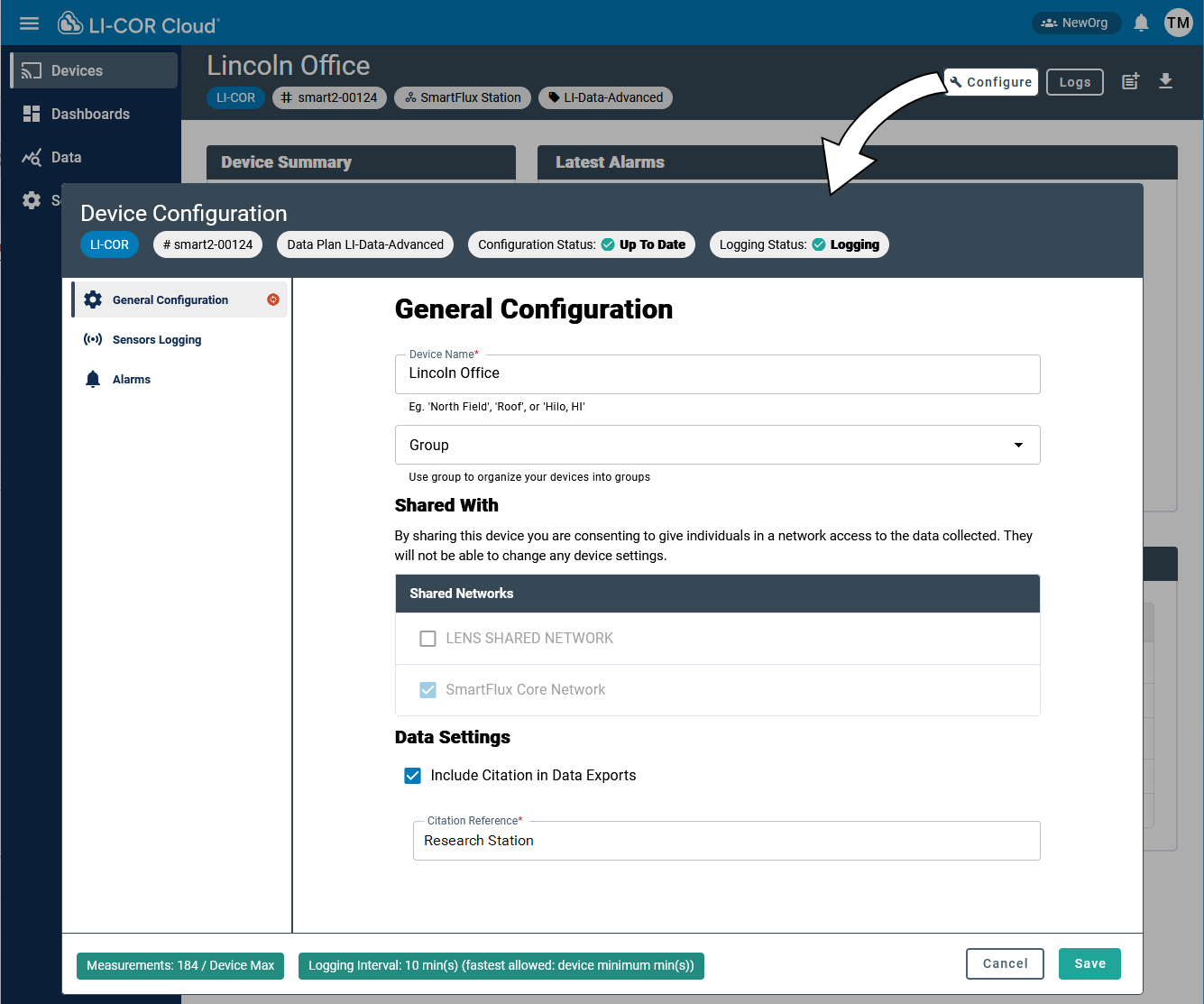
Configuration
Device and system information is set in General Configuration.
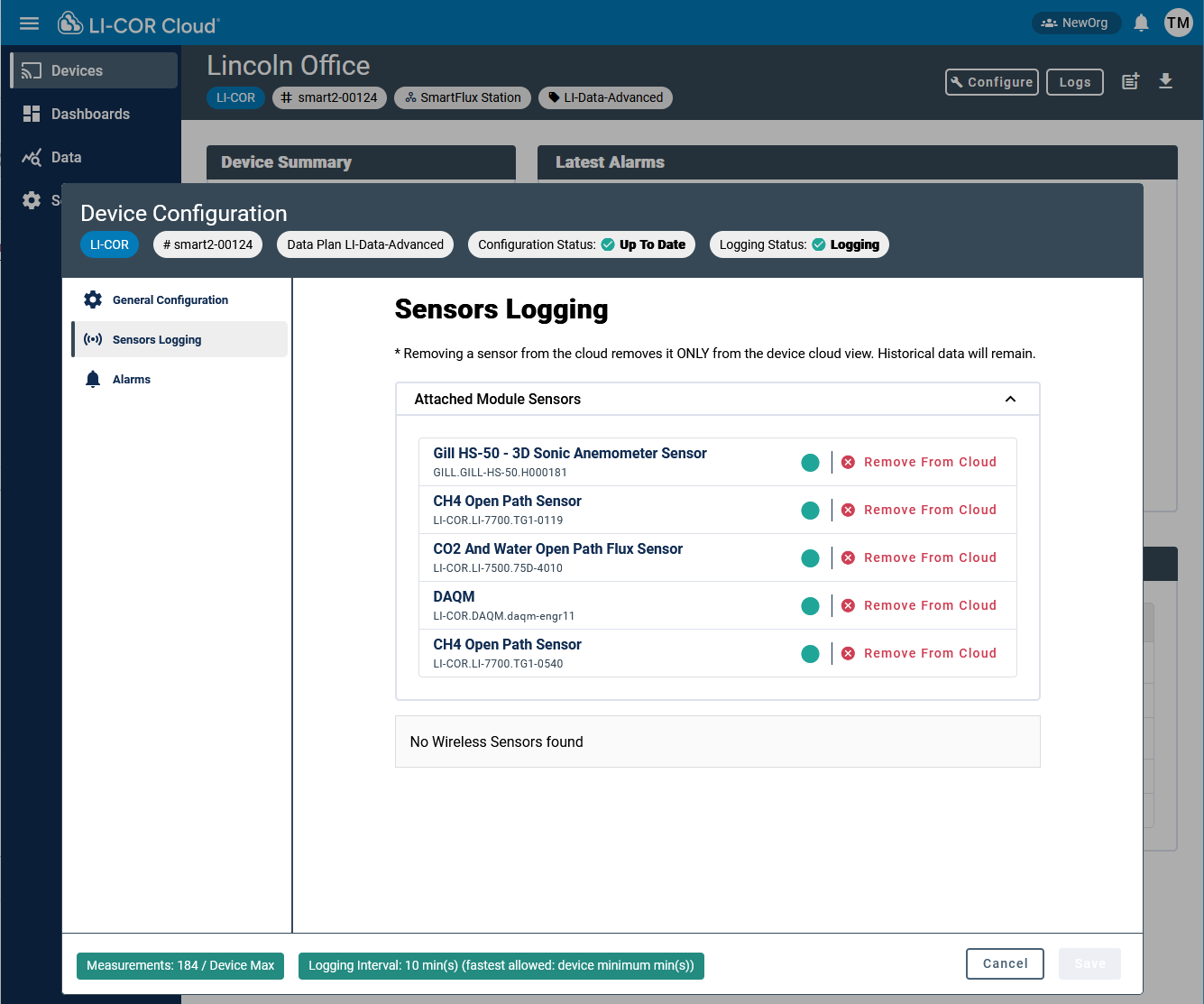
Logging
Logging information is under Sensors Logging. Each sensor has an option to Remove from Cloud. Click this if a sensor was added by accident or if you no longer need the connection.
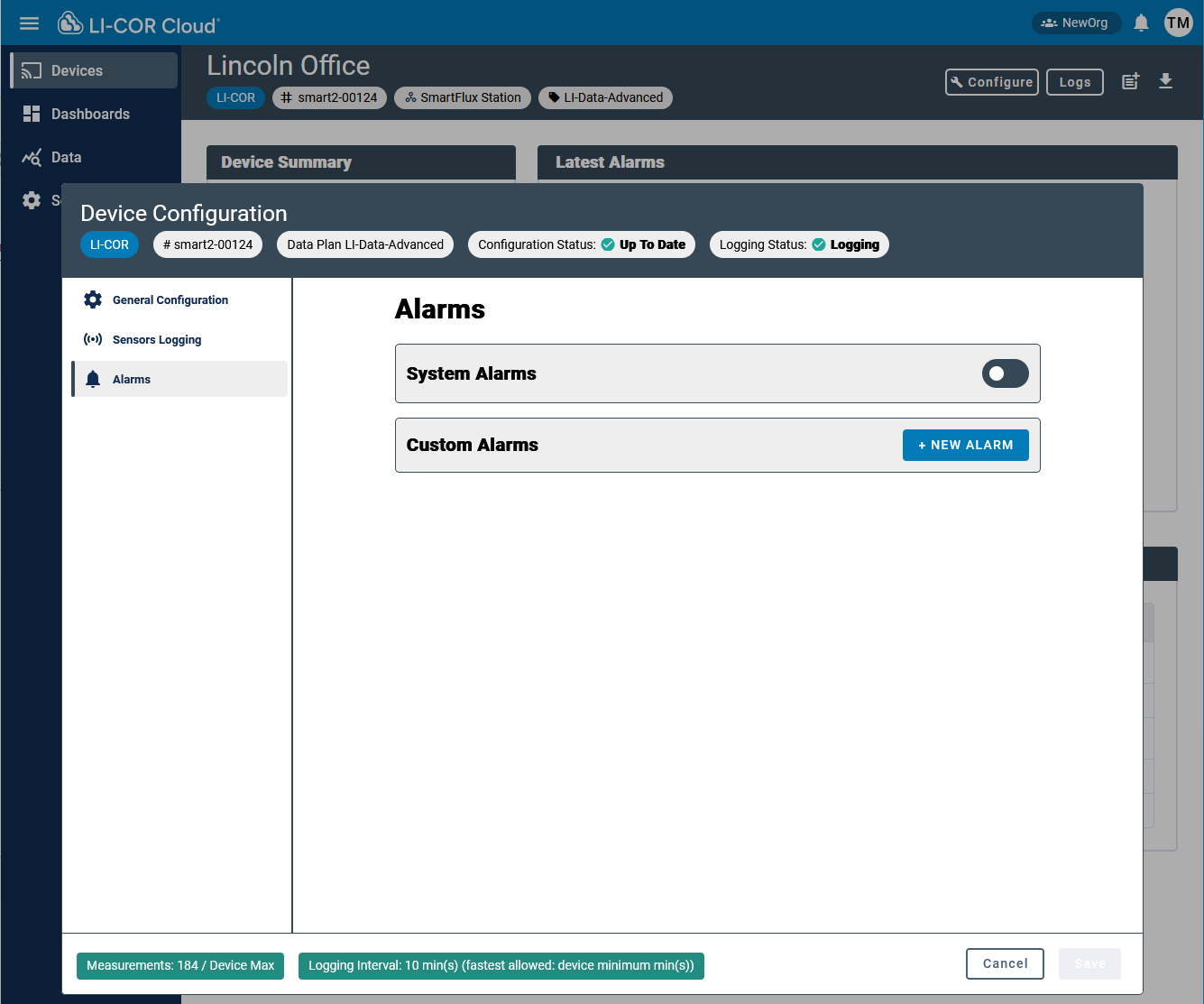
Alarms
Alarms are configured under Alarms.
After completing the basic device configuration, you can customize the Dashboard to suit your needs. See Dashboards and data visualization.