


Isotopic calibrations
Measure a new cal
When the TGA is the LI-7825/LI-8825, the isotopic calibration (see also Isotopic calibration details) should be done at least daily, or anytime the CO2 source (e.g. 8-gram cartridge) for the LI-6800 is changed.
Some prerequisites for making this measurement:
-
TGA should be connected and communicating. The TGA H2O value should be low and stable.
-
Match mode will be used, so make sure the reference flow is at least 600 μmol s-1 (as discussed in Flow Rate).
-
The LI-6800 CO2 mixer on and ready.
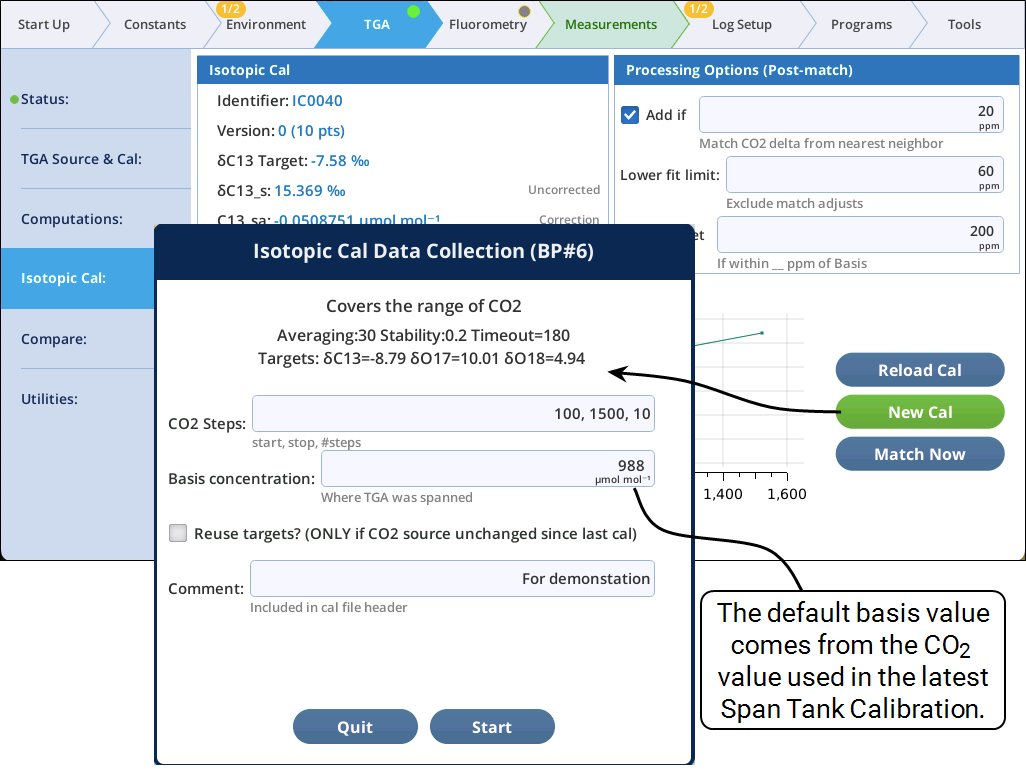
The CO2 Steps box expects three values: starting and ending concentrations, and number of points. (The calibration will be monotonic, low to high or high to low.) Spacing between the points is log-adjusted to space them closer together at the low end.
The Basis concentration is the CO2 concentration where the TGA was calibrated. That is, at what concentration do you trust the TGA? The calibration range should encompass this concentration.
The Reuse targets? box can be checked if a) you have already done an isotopic calibration with this CO2 source, b) you trust the CO2 source to not have changed since the last calibration, and c) you trust this source to be stable more than you trust the TGA to not drift. Leaving the box unchecked (normal) means the per mille targets for each isotope will be determined by this calibration, by interpolating to the basis concentration.
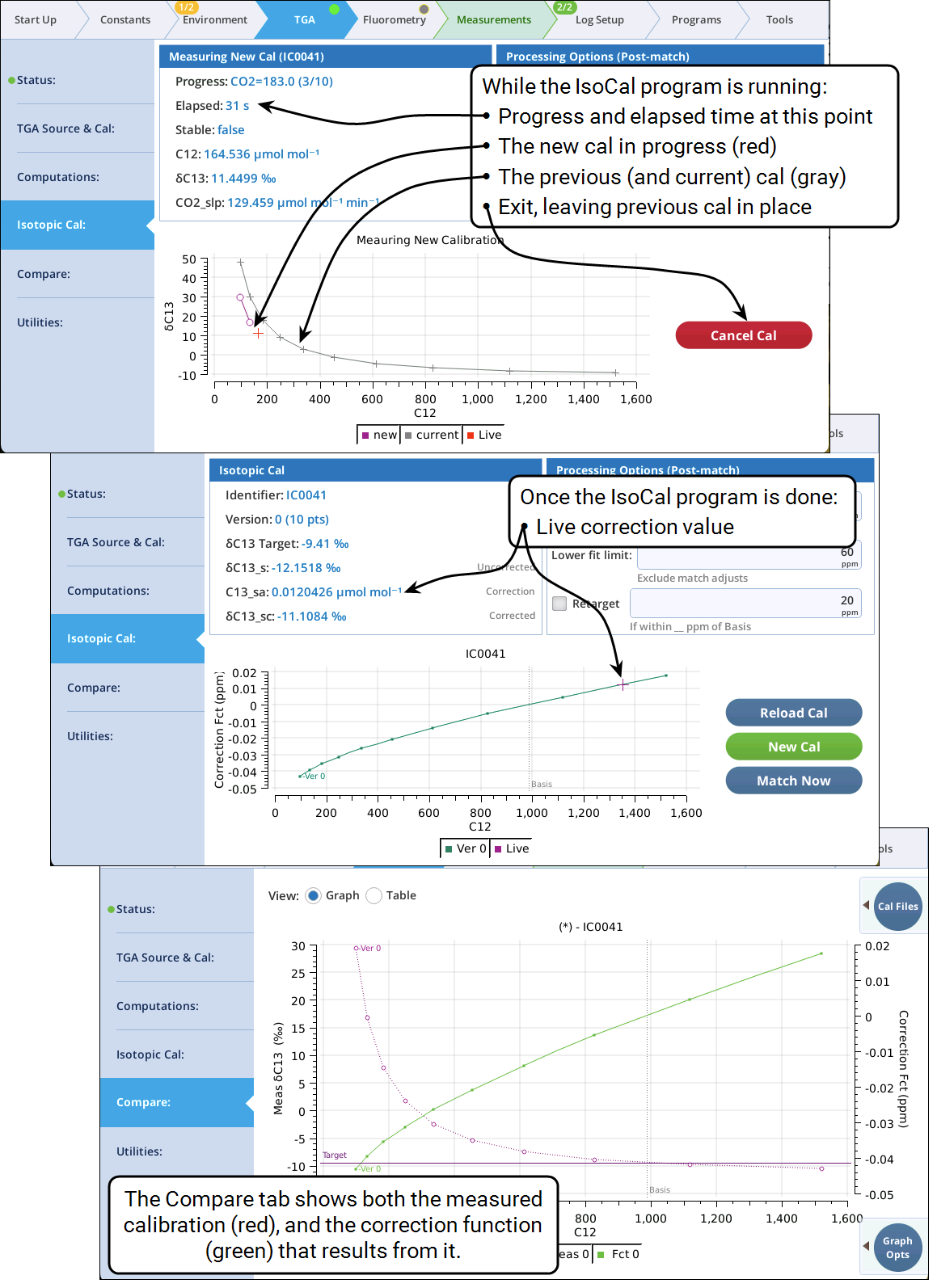
For the normal 10-step Isotopic Cal, it takes 10-20 minutes to run, so be patient. While this test only uses the reference air stream, it is best not to have a leaf you want to measure in the chamber, as the CO2 concentration will be changing. So, you should wait to clamp onto your first leaf to light-acclimate, etc. until after the Isotopic Cal is finished.
Figure 12‑49 illustrates the rest of the calibration.
Post match adjustments
The Processing Options controls on the upper right of the Isotopic Cal screen determine what happens when leaving match mode if a stable TGA reading was obtained.
Add If will add the stable reading to the isotopic cal if the reading was outside of the specified C12 concentration difference from the nearest cal point. Thus, a cal might start out with 10 calibration points, but wind up with many more after a few hours of use.
When a match occurs with C12 below Lower fit limit, no adjustments to the cal will be made. We have observed a sharp change in δ13C when using the LI-6800 CO2 injector typically in the mid 50s ppm. This may be fractionation in the mixer. At any rate, this field lets you avoid issues like that from throwing the whole cal curve off.
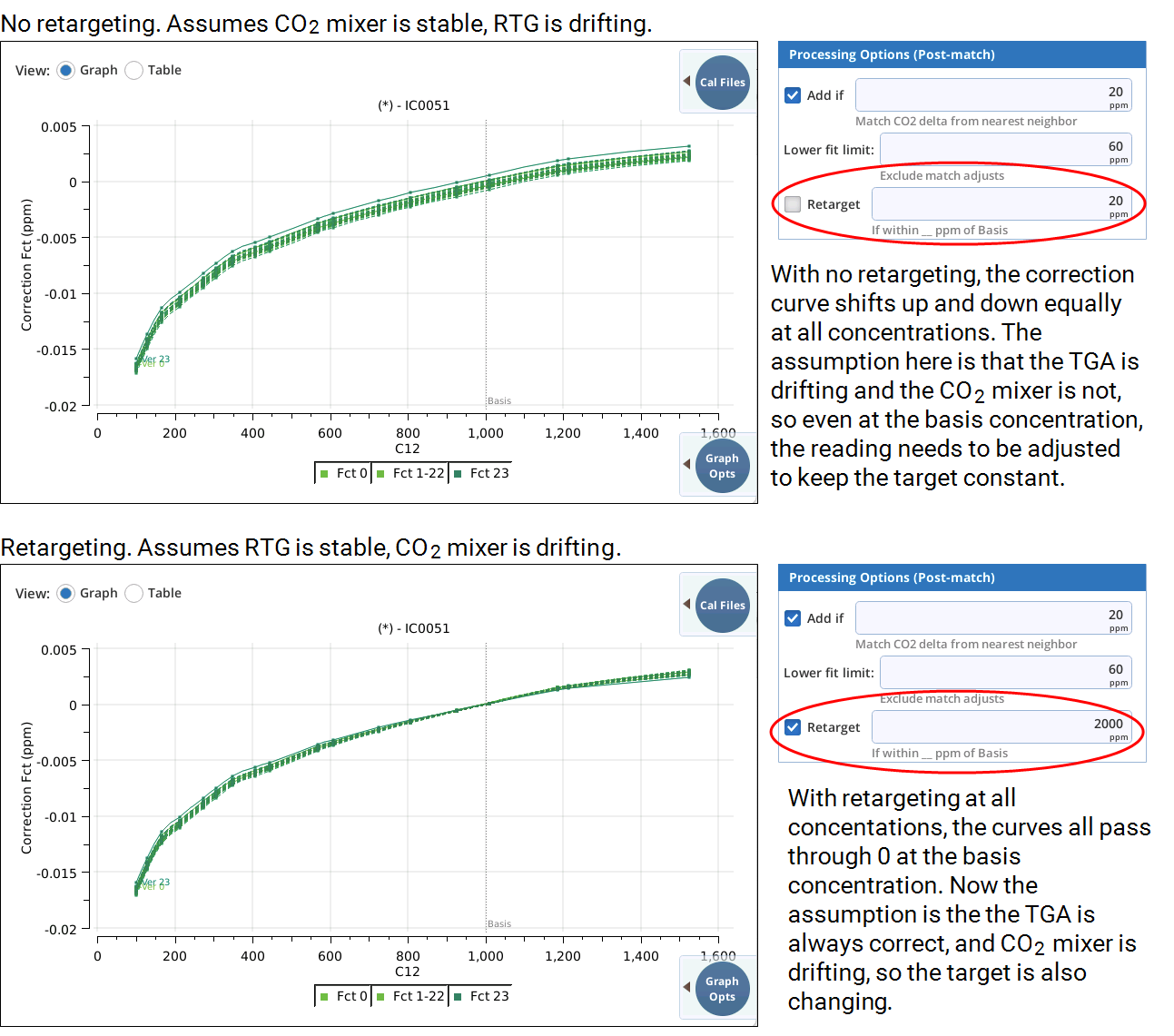
The effect of the Retarget choice is illustrated in Figure 12‑50. If you trust the CO2 source to be stable throughout the life of an isotopic calibration, then you will not want to check the Retarget box, because any observed drift would be due to the TGA and not the source. If however, you think the TGA is more stable than the CO2 source, then you would check the box and set a large range, and each match will "re-measure" the isotopic target. Whether you retarget or not, it is possible to see after each match (regardless of the concentration) the difference is between the assumed target and apparent targets (see The Compare page).
Immediately after measuring an isotopic calibration, the post-match adjustments re-targeting option won’t matter very much, since the adjustments should be minor. As the hours pass, however, and the probability of TGA drift and/or CO2 mixer fractionation change increases, choosing the appropriate re-targeting options takes on more importance.
Using match now
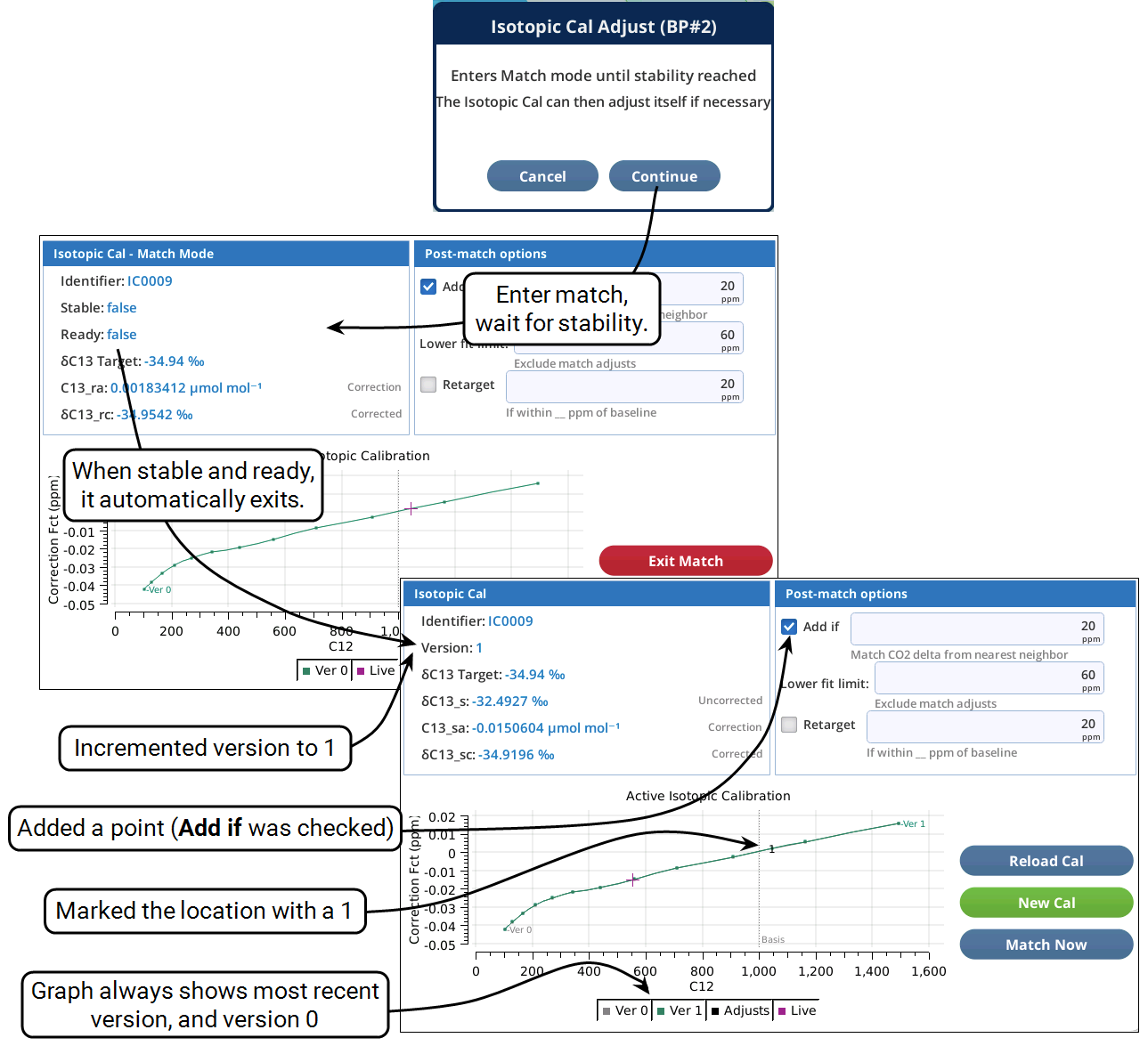
Isotopic cals are adjusted automatically when leaving match mode (Adjustments), which is usually part of automatic logging. However, if you wish to check the isotopic cal at some particular CO2 concentration,
-
Set the CO2 mixer to that concentration and wait for it to stabilize
-
Tap the Match Now button on the Isotopic Cal page. Tap Continue in the opening dialog.
-
Manual match mode is entered. (No automatic CO2 or H2O matching will occur).
-
When the TGA stability criteria are met, an isotopic curve adjustment is made.
-
Match mode is exited automatically.
-
During this process, an Exit Match button is provided if you wish to terminate early.
This serves as a manual method to trigger the adjustment that occurs during a normal automatic match, such as during data logging.
Loading a previous cal
Re-activating a previous isotopic cal is not a task that typically needs to be done. (Viewing and analyzing previous isotopic cals can be done—without activating them—on the Compare page.) However, the ability to do this is provided.
The Reload Cal button will prompt you to load a previously measured cal. When a file is reloaded, it is “rebuilt” one adjustment at a time, just as when the file was originally developed. On reload, however, you have an option of treating all the subsequent adjustments (if any) the way they were originally handled, or specifying an explicit set of options to use for all of the adjustments (Figure 12‑52).
Note: Any adjustments made to a calibration loaded in this manner will still occur, no matter how old and out of date it might be.
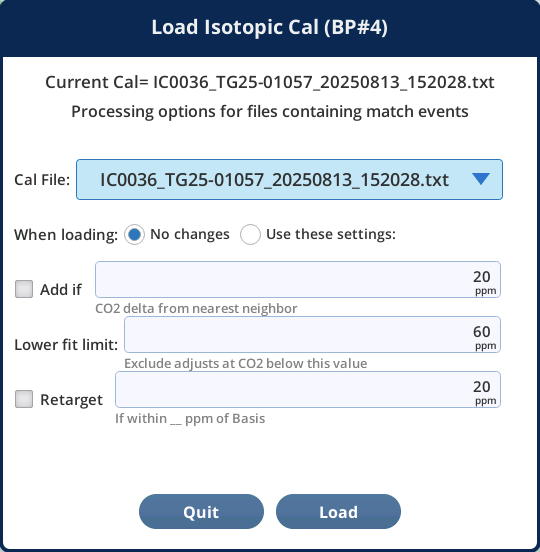
The dropdown list shows files found in /home/licor/logs/tga/isocals/<serial>, and is sorted by file date (most recent at the top). The current cal file is also identified.